
Optimizing Application Memory on Mac: Fixing RAM Issues
Optimizing Application Memory on Mac: Fixing RAM Issues
For many Mac users, managing application memory and understanding how RAM impacts performance is crucial. With macOS, efficient memory management can significantly enhance your device's speed and responsiveness. In this guide, we’ll explore common Mac RAM issues, provide solutions for fixing application memory errors, and share effective strategies to improve overall performance.
Understanding Application Memory on Mac
Application memory is a segment of your Mac's RAM dedicated to running applications. When you launch an application, it uses a specific portion of memory. If too many applications are demanding memory simultaneously, it can lead to performance issues such as lagging, freezing, or application crashes. Understanding how your Mac allocates memory is key to preventing these issues.
macOS utilizes a virtual memory system that optimizes memory allocation. However, improper management or excessive background applications can cause high memory usage, leading to slowdowns. Therefore, knowing how to properly manage Mac memory is essential for a seamless experience.
Common Mac RAM Issues
Users often face several RAM issues that can threaten performance. Common themes include:
- High Memory Consumption: Running multiple applications, especially resource-heavy ones, can quickly consume available RAM.
- Application Memory Errors: These errors often arise when an application requests more memory than is available, resulting in crashes.
- Background Processes: Applications running in the background can hog memory resources without the user’s awareness.
Fixing Application Memory Errors
Here’s how you can troubleshoot and fix application memory errors on your Mac:
1. **Close Unused Apps**: Regularly monitor which applications are open. Use the Activity Monitor app to identify and close any unused programs. This can immediately free up RAM.
2. **Reduce Startup Items**: Prevent unnecessary applications from launching at startup. Navigate to System Preferences > Users & Groups > Login Items and remove any items that aren’t essential.
3. **Clear Cache Files**: Over time, applications accumulate cache files that can consume memory. Regularly clearing these can help free up resources. Consider using a cleaning tool or doing it manually via Finder.
Managing Mac Memory More Effectively
To enhance memory management on your Mac, consider incorporating the following practices:
1. **Use Activity Monitor**: This built-in utility helps you track memory usage in real-time. Keep an eye on the memory tab to understand which applications are consuming the most resources.
2. **Empty the Trash Regularly**: Files stored in the Trash still occupy disk space. Emptying it helps maintain optimal performance.
3. **Upgrade RAM**: If your Mac model allows for RAM upgrades, consider enhancing your memory capacity, especially if you're working with demanding applications.
Freeing Up RAM on Mac
Implementing a few strategies can lead to significant improvements in RAM availability:
1. **Disable Visual Effects**: Reducing the effects of animations and other visuals can lighten the load on memory. Head to System Preferences > Accessibility > Display, and check “Reduce motion” and “Reduce transparency.”
2. **Restart Your Mac**: A simple restart can clear temporary files and release RAM used by applications that may have hung or mismanaged memory.
3. **Use RAM Management Tools**: There are several third-party applications available that can help automate memory management, identifying unused RAM and clearing cache efficiently.
Conclusion
Mastering the management of application memory is pivotal for every Mac user looking to enhance performance and fix prevalent RAM issues. By understanding how memory works on your Mac and leveraging available tools and strategies, you can free up RAM, resolve application memory errors, and ultimately enjoy a smoother macOS experience.
FAQ
1. How can I check memory usage on my Mac?
You can check memory usage by opening the Activity Monitor located in Applications > Utilities. The Memory tab displays real-time memory usage information.
2. What should I do if my Mac runs out of application memory?
If your Mac runs out of application memory, try closing unused apps, clearing cache files, or restarting your Mac to free up RAM.
3. How can I improve the performance of my Mac?
Improving your Mac's performance can be achieved by regularly managing applications, upgrading RAM if possible, and cleaning up unnecessary files to free up memory.

משלוח עם קוד מעקב, קיימת אפשרות למשלוח מהיר.

קניה מאובטחת בכרטיסי אשראי או פייפאל. והחזר כספי מלא אם המוצר פגום או לא כמו שהזמנתם.

שירות לקוחות לכל שאלה במייל, טלפון או וואטסאפ.

שמלות ערב לנשים – עכשיו גם אתם יכולות

מבחר ענק של כיסויי ראש לנשים

חצאיות לנערות
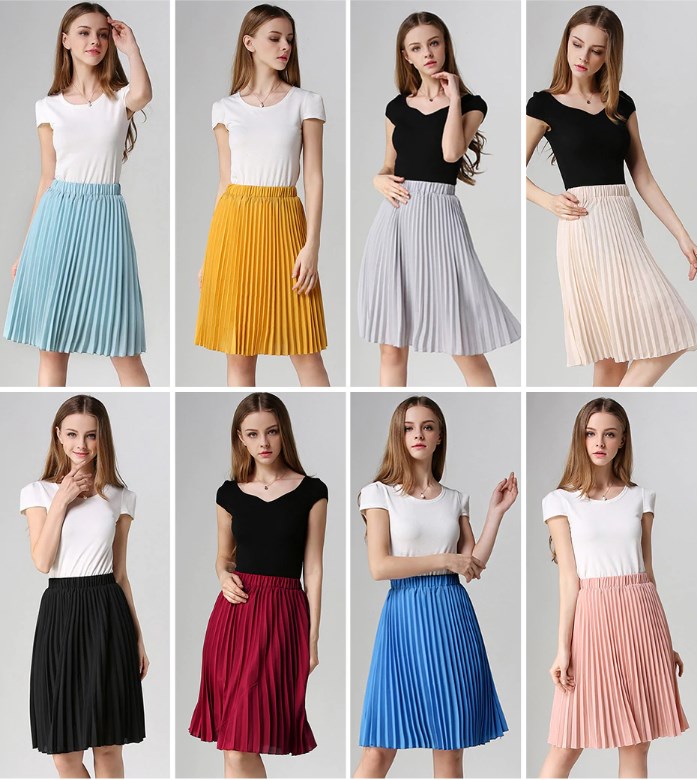
עוד שמלות לילדות
-
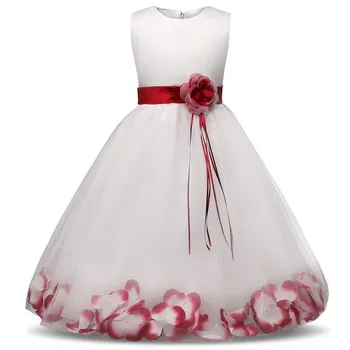 שמלת כלה ילדות מיוחדת עם סרט ופרחים זרוקים בתוך השמלה מלמטה.
₪87.00 – ₪112.00
שמלת כלה ילדות מיוחדת עם סרט ופרחים זרוקים בתוך השמלה מלמטה.
₪87.00 – ₪112.00
-
 שמלת שושבינה עם אפליקציות מדהימות, אורך ברך, שרוול רשת ארוך, נצנצים וסרט קשירה מאחור, 3 צבעים לבחירה
המחיר המקורי היה: ₪344.00.₪172.00המחיר הנוכחי הוא: ₪172.00.
שמלת שושבינה עם אפליקציות מדהימות, אורך ברך, שרוול רשת ארוך, נצנצים וסרט קשירה מאחור, 3 צבעים לבחירה
המחיר המקורי היה: ₪344.00.₪172.00המחיר הנוכחי הוא: ₪172.00.
-
 שמלת שישבינה ארוכה עם פרווה בעיצוב מיוחד, שרוול ארוך ואפליקציות, 3 צבעים לבחירה
₪223.00 – ₪250.00
שמלת שישבינה ארוכה עם פרווה בעיצוב מיוחד, שרוול ארוך ואפליקציות, 3 צבעים לבחירה
₪223.00 – ₪250.00
-
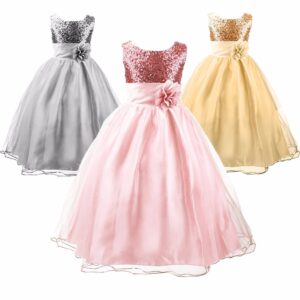 שמלת ערב פייטים ללא שרוולים מיוחדת לילדות
₪95.00 – ₪109.00
שמלת ערב פייטים ללא שרוולים מיוחדת לילדות
₪95.00 – ₪109.00
-
 שמלת שושבינה "כיפה אדומה" עם נצנצים ופנינים - כמו באגדות
המחיר המקורי היה: ₪199.00.₪189.00המחיר הנוכחי הוא: ₪189.00.
שמלת שושבינה "כיפה אדומה" עם נצנצים ופנינים - כמו באגדות
המחיר המקורי היה: ₪199.00.₪189.00המחיר הנוכחי הוא: ₪189.00.
-
 שמלת קיץ לבנה עם נקודות שחורות גובה ברך מכותנה, שרוולים קצרים וקשירה אחורית, מתוקה מתוקה
המחיר המקורי היה: ₪163.00.₪96.00המחיר הנוכחי הוא: ₪96.00.
שמלת קיץ לבנה עם נקודות שחורות גובה ברך מכותנה, שרוולים קצרים וקשירה אחורית, מתוקה מתוקה
המחיר המקורי היה: ₪163.00.₪96.00המחיר הנוכחי הוא: ₪96.00.
-
 שמלת ערב בת ים לבנה לילדות עם עליונית נפרדת, עם רקמה ותחרה מהממים ומיוחדים, שרול קצר, צווארון סיני עדין - פצצה
₪772.00 – ₪812.00
שמלת ערב בת ים לבנה לילדות עם עליונית נפרדת, עם רקמה ותחרה מהממים ומיוחדים, שרול קצר, צווארון סיני עדין - פצצה
₪772.00 – ₪812.00
-
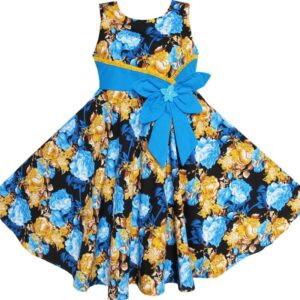 שמלת בוהמיה פרחונית עם קשת ועניבה עם סרט ופרח מכותנה
₪98.00 – ₪118.00
שמלת בוהמיה פרחונית עם קשת ועניבה עם סרט ופרח מכותנה
₪98.00 – ₪118.00
-
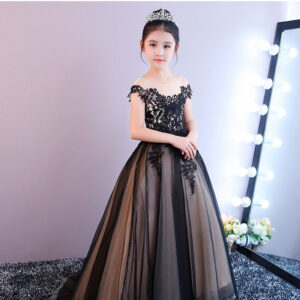 שמלת ערב לילדות, שחורה עם קשר מחוח באחור, ארוכה אלגנטית ומהממת, שמלה מושלמת לילדה שרוצה לגנוב את הערב
המחיר המקורי היה: ₪694.00.₪389.00המחיר הנוכחי הוא: ₪389.00.
שמלת ערב לילדות, שחורה עם קשר מחוח באחור, ארוכה אלגנטית ומהממת, שמלה מושלמת לילדה שרוצה לגנוב את הערב
המחיר המקורי היה: ₪694.00.₪389.00המחיר הנוכחי הוא: ₪389.00.
-
 שמלת נסיכה שחורה לילדות עם רקמת חוט זהב פרחונית, גובה הברך ושרוול ארוך
₪275.00 – ₪292.00
שמלת נסיכה שחורה לילדות עם רקמת חוט זהב פרחונית, גובה הברך ושרוול ארוך
₪275.00 – ₪292.00
-
 שמלת ערב לילדות גולשת לרצפה עם שרוולים קצרים תחרה בחלק העליון וכתפורים מעוצבים בגב
₪120.00 – ₪144.00
שמלת ערב לילדות גולשת לרצפה עם שרוולים קצרים תחרה בחלק העליון וכתפורים מעוצבים בגב
₪120.00 – ₪144.00
-
 שמלת ערב לאירועים לילדות מקטיפה, כתף חשופה בצבע כחול עמוק, אורך קרסול, סופר אלגנטית וגונבת הצגה
₪433.00
שמלת ערב לאירועים לילדות מקטיפה, כתף חשופה בצבע כחול עמוק, אורך קרסול, סופר אלגנטית וגונבת הצגה
₪433.00
-
 שמלת מסיבות לילדות עם רקמות של פרחים, תחרה וחרוזים ללא שרוולים
₪105.00 – ₪122.00
שמלת מסיבות לילדות עם רקמות של פרחים, תחרה וחרוזים ללא שרוולים
₪105.00 – ₪122.00
-
 שמלת בת ים תחרה לבנה לילדות, שרוול /3/4 מקסימה אורך קרסול מעוצבת ברמה גבוהה - שמלת מסלול
₪470.00 – ₪536.00
שמלת בת ים תחרה לבנה לילדות, שרוול /3/4 מקסימה אורך קרסול מעוצבת ברמה גבוהה - שמלת מסלול
₪470.00 – ₪536.00
-
 שמלת שושבינה לילדות מהממת, כותנה/סאטן עם תחרה וחרוזים שזורים, ללא שרוולים - 5 צבעים לבחירה
המחיר המקורי היה: ₪517.00.₪212.00המחיר הנוכחי הוא: ₪212.00.
שמלת שושבינה לילדות מהממת, כותנה/סאטן עם תחרה וחרוזים שזורים, ללא שרוולים - 5 צבעים לבחירה
המחיר המקורי היה: ₪517.00.₪212.00המחיר הנוכחי הוא: ₪212.00.